Why some Facebook videos can't be downloaded
Only public videos can be downloaded. The person who posted the video chooses its audience.
When ClipsKeep says a video is private or needs a login, nothing is broken: the site is respecting a choice made by the person who posted it. Every Facebook post has an audience set by its author, and the site can only reach what's open to everyone.
1. Look at the post's audience icon
Next to the poster's name and the date, Facebook shows a small icon. A globe means Public: anyone can see it, and the download works. Two people mean Friends; a padlock or a people-with-gear icon means a restricted audience. In those cases the video isn't available here.
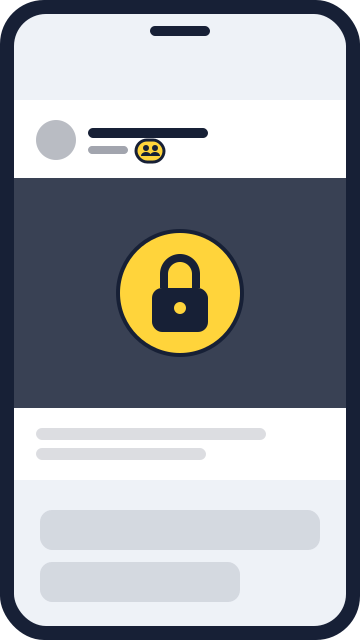
2. Check where the video was posted
Videos posted inside private groups are only visible to members, even if the post looks open to you. The same goes for closed events and Messenger chats. Those videos don't have a public address.
3. Ask the person who posted it for the file
The simplest and most respectful way to get a private video is to ask its author. They can send you the file directly on WhatsApp, or change the post's audience to Public if they're happy for more people to see and keep it.
4. If the video is yours, download it from Facebook
For your own videos, Facebook offers an official download: open the video, tap the three dots and choose Download video. To get everything at once, use Settings > Your information > Download your information.
Why isn't there a way around this?
Because getting around it would mean disrespecting the privacy of the person who posted. A video shared with friends only was made for that group of people, and ClipsKeep never accesses accounts or asks for your Facebook login. Be wary of sites that promise otherwise: many ask for your password or the page's source code, which puts your account at risk.
Paste the video link here
Some options are prepared on the spot, so the download may take a few seconds to start.
- Start
- 0:00
- Length
- 0:00
- End
- 0:00
The video was public yesterday and now gives an error. Why?
The author may have changed the post's audience or deleted the video, or Facebook may have taken the content down. None of these can be fixed on our side.
Does the private notice mean the video was deleted?
Not necessarily. The video may still be on Facebook, just visible to a smaller audience. If you can watch it while logged in, it exists; it just isn't public.